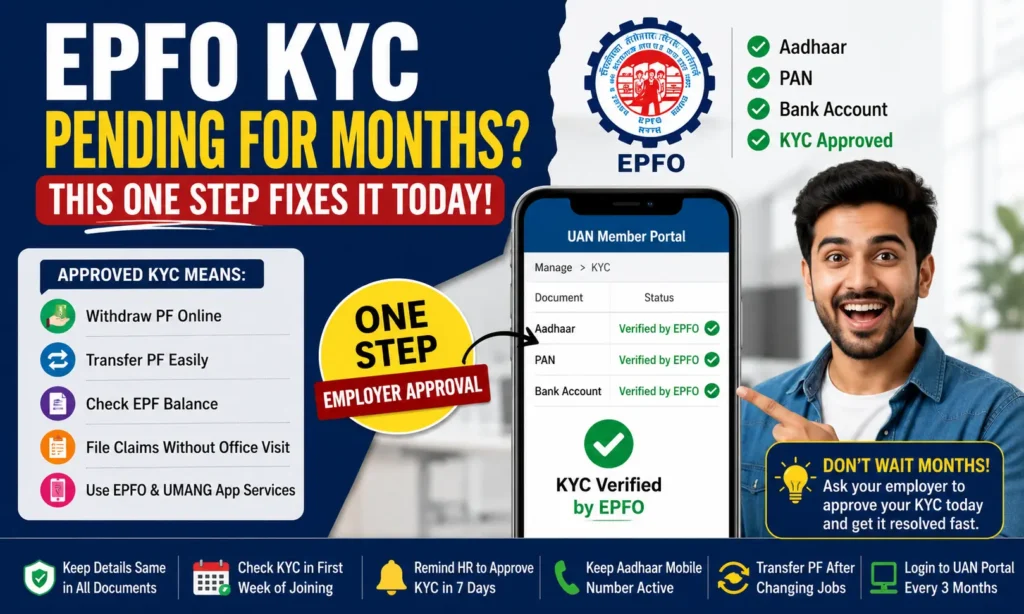
EPFO KYC Pending for Months? This One Step Fixes It Today
If you have been waiting for your EPFO KYC to get verified, and it has been weeks or even months, you are not alone. Thousands of EPF members face this problem every year. You did everything right. You uploaded your Aadhaar number, PAN card details, and bank account information through the UAN Member Portal. You clicked Save. But the status still shows Pending. Nothing is moving.
We want you to know one important thing: in most cases, this is not your fault. The problem is almost always on the employer’s side, and it has a simple fix.
In this article, we will tell you what EPFO KYC is, why it gets stuck, and what one step you need to take today to correct it.
What Is EPFO KYC?
KYC stands for Know Your Customer. EPFO uses KYC to verify that you are truly the person you say you are. It links your identity documents to your UAN (Universal Account Number).
When your KYC is complete and approved, you can:
Without approved KYC, most of these services are locked. That is why fixing your pending KYC is so important.
KYC Documents You Can Link to Your UAN
To complete your Universal Account Number (UAN) KYC, you need to add some important documents. These documents help verify your identity and make your Employees’ Provident Fund Organisation (EPFO) account safe and active.
We have explained each document in a simple way below:
| Document | Purpose |
|---|---|
| Aadhaar Card | Identity & address verification (mandatory) |
| PAN Card | Tax verification, required for withdrawals above ₹50,000 |
| Bank Account | Direct payment of PF claims and withdrawals |
| Passport | Additional identity proof (optional) |
| Driving Licence | Additional identity proof (optional) |
| Ration Card | Address proof (optional) |
| Election Card (Voter ID) | Tax verification is required for withdrawals above ₹50,000 |
Why Is Your KYC Showing as Pending for Months?
There are several reasons why your EPFO KYC status is viewed as Pending. Let us look at each one:
1. Your Employer Has Not Approved It
This is the number one reason. When you upload your KYC documents on the UAN portal, it does not get verified automatically. Your employer must log in to the EPFO Employer Portal and approve your request.
If your employer is slow, unaware, or has not logged in, your KYC will stay as Pending forever. We have seen this problem with small companies, startups, and businesses that do not have a dedicated HR team.
2. Aadhaar and UAN Details Do Not Match
Your name on Aadhaar must match your name in the UAN system exactly. Even a small difference, like a middle name missing or a spelling error, can stop KYC from getting approved.
For example, if your UAN shows Mohad Farhan but your Aadhaar says Mohammed Farhan, the system will reject or hold the KYC verification.
3. Mobile Number Not Linked with Aadhaar
For Aadhaar-based KYC verification through OTP, your mobile number must be registered with UIDAI (Aadhaar). If your old number is linked, or no number is linked at all, the OTP-based process will fail.
4. Bank Account Details Are Wrong
If your IFSC code or account number is wrong, your bank KYC will fail. EPFO verifies your bank account details with the National Payments Corporation of India (NPCI) before approving.
5. PAN Number Mismatch
Your PAN must match the name registered in the Income Tax database. If there is any mismatch with your UAN profile, PAN KYC will remain pending.
How to Check Your EPFO KYC Status
Before you fix anything, you need to check your current KYC status. Here is how you do it:
The status will show one of three things:
| Status | What It Means |
| Pending | You uploaded it, but the employer has not approved it yet |
| Approved | Employer approved it, EPFO is verifying |
| Verified by EPFO | You uploaded it, but the employer has not approved yet |
Steps to Fix EPFO KYC Pending
If your EPFO KYC has been pending for a long time, don’t worry, this is a very common issue that is usually due to minor verification delays from the employer side or minor document mismatches. The good thing is that it can be fixed easily once you know the exact reason. Follow the steps below carefully to resolve it and get your KYC approved quickly.
Step 1: Check Which Document Is Pending
Log in to the EPFO Member Portal and open the KYC section.
Check which document shows “Pending”, such as:
Note it down before moving to the next step.
Step 2: Contact Your Employer
Now contact your HR department or employer.
Tell them your KYC is pending and share your UAN number. Ask them to approve your KYC from their portal.
Step 3: Employer Approves KYC on Portal
Your employer needs to log in to the EPFO Employer Portal and follow these steps:
This is the most important step.
Step 4: Wait for EPFO Verification
After approval, the Employees’ Provident Fund Organisation will verify your documents.
You will get an SMS on your registered mobile number once verified.
Step 5: Check Updated KYC Status
Log in again to the Member Portal.
Go to: Manage → KYC
Your status should now show: “Verified by EPFO.”
How to Fix Name Mismatch Between Aadhaar and UAN
A name mismatch is one of the main reasons why your KYC gets stuck in your Universal Account Number (UAN) account.
We can fix this easily by following one of the options below.
Option 1: Correct Your UAN Profile
Option 2: Correct Your Aadhaar Details
Make sure your name spelling is similar in both Aadhaar and UAN.
Even a small difference can delay your KYC approval.
How to Fix Bank Account KYC Pending
Your bank KYC in Universal Account Number (UAN) is verified through National Payments Corporation of India (NPCI).
If your bank KYC is failing, follow these steps:
Important Checks:
What to Do If KYC Still Fails
What If Your Employer Is Not Responding?
This is a common frustration. Your KYC has been pending for months, and your employer is not acting on it. Here is what you can do:
Option 1: Send a Written Request
Option 2: Raise a Grievance on EPFiGMS
You can file a complaint on the EPFiGMS Portal
The Employees’ Provident Fund Organisation will follow up with your employer.
Option 3: Call EPFO Helpline
Option 4: Visit the EPFO Office
The staff will help you resolve your issue directly.
Common EPFO KYC Errors and Their Fixes
Sometimes your Universal Account Number (UAN) KYC fails due to small errors. These errors can stop your documents from getting approved in the Employees’ Provident Fund Organisation system.
Most of these issues are simple to fix. Below, we have listed common error messages and their easy solutions so you can quickly resolve your KYC problems.
| Error Message | How to Fix It |
|---|---|
| Name Mismatch | Correct name in UAN profile or Aadhaar. Both must match exactly. |
| DOB Mismatch | Update the date of birth in the UAN portal with employer approval. |
| Invalid IFSC | Visit the Aadhaar centre to link your current mobile number with Aadhaar. |
| Mobile Not Linked | Update the date of birth in the UAN portal with employer approval. |
| Employer Not Approving | Raise a grievance on the EPFiGMS Portal or call 1800-118-005. |
| PAN Not Verified | Ensure PAN name matches Income Tax records and your Universal Account Number profile. |
| Account Number Wrong | Update the date of birth in UAN portal with employer approval. |
Tips to Avoid KYC Problems in Future
To keep your Universal Account Number (UAN) account smooth and error-free in the Employees’ Provident Fund Organisation, follow these simple tips:
Important Tips:
Conclusion
Managing your Universal Account Number (UAN) KYC is essential if you want to access your PF money and services from the Employees’ Provident Fund Organisation. Most people face delays, pending status, or rejection due to minor mistakes such as name mismatch, wrong bank details, or missing employer approval.
The good news is that these problems are not permanent. Once you understand the real reason behind the issue, you can fix it step by step. In most cases, correcting your details, contacting your employer, or re-checking your documents can solve the problem quickly.
When you check your account frequently, update your details on time, and keep your Aadhaar, PAN, and bank information consistent, you reduce the chances of future errors. This also helps you avoid unnecessary stress when you need to withdraw or transfer your PF amount.