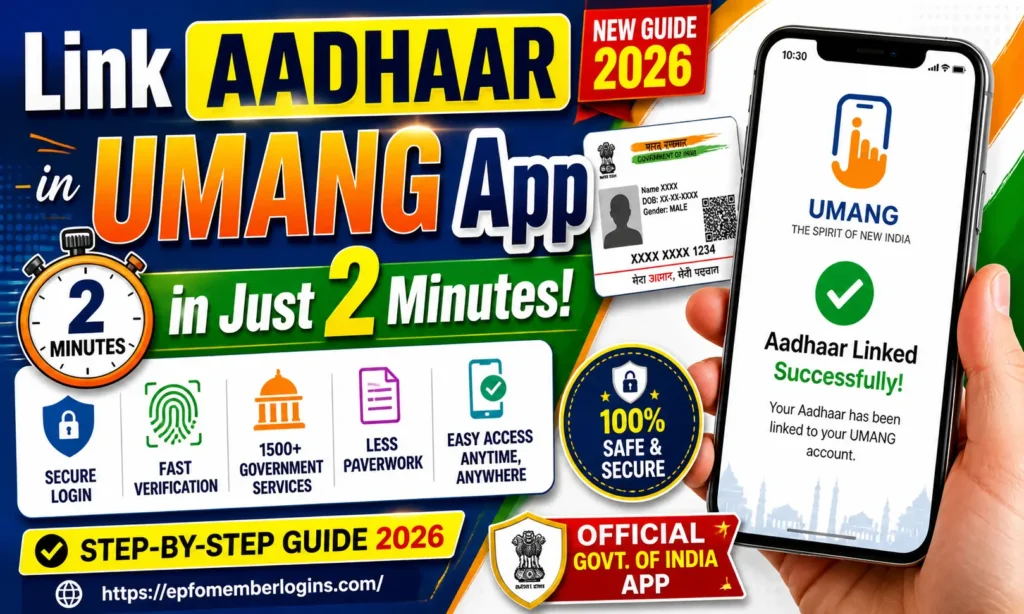
How To Link Aadhaar in UMANG App in Just 2 Minutes 2026
Do you want to link your Aadhaar card to the UMANG App? You are in the right place. UMANG App is an official Government of India app. It helps you access more than 1,500 government services on your mobile phone.
When you link your Aadhaar number to UMANG, you can use all these services easily and securely. Linking Aadhaar with UMANG is a simple process. You do not need to visit any government office. You can do it right from your smartphone at home.
In this guide, we will show you the full step-by-step process to linking Aadhaar in the UMANG App in just 2 minutes.
What is the UMANG App?
UMANG stands for Unified Mobile Application for New-age Governance. The Government of India launched this app as part of the Digital India program. The Ministry of Electronics and Information Technology (MeitY) and the National e-Governance Division (NeGD) manage this app.
With the UMANG App, you can access services from many government departments, such as:
Why Should You Link Aadhaar in the UMANG App?
When you link your Aadhaar number with your UMANG account, you get many benefits:
Requirements Before You Start
Before you link your Aadhaar in the UMANG App, make sure you have the following:
| Requirement | Details |
|---|---|
| Smartphone | Android or iOS device |
| UMANG App | Latest version installed |
| Aadhaar Number | 12-digit Aadhaar card number |
| Registered Mobile Number | Mobile number linked to your Aadhaar |
| Internet Connection | Stable 4G or Wi-Fi connection |
| OTP Access | You must receive OTP on your Aadhaar-linked mobile |
How to Link Aadhaar in UMANG App (2026)
Follow these easy steps. We will complete the process in just a few minutes.
Step 1: Open the UMANG App
Step 2: Log In to Your UMANG Account
Step 3: Go to Your Profile Section
Step 4: Find the Aadhaar Linking Option
Step 5: Enter Your Aadhaar Number
Step 6: Enter the OTP
OTP is valid for only 10 minutes. Enter it quickly.
Step 7: Aadhaar Linking is Complete
Benefits of Linking Aadhaar
When you connect your Aadhaar with the UMANG App, your identity is verified digitally. This helps make all services faster, safer, and easier to use. It also removes the need for repeated manual verification every time you access a service.
Below are some benefits of linking Aadhaar in the Umang App:
Services After Linking Aadhaar
After you link your Aadhaar in the UMANG App, you can use these important government services:
1. EPFO Services
2. Ayushman Bharat – PMJAY
3. PM Kisan Yojana
4. DigiLocker Services
5. Income Tax Services
6. Passport Seva
7. CBSE Services
Common Problems and Their Solutions
Sometimes you may experience login issues when linking Aadhaar. We have listed the most common problems and their fixes below.
| Problem | Solution |
|---|---|
| OTP Not Received | Go to your profile and check your Aadhaar status. If it shows “Verified,” no action is needed |
| Aadhaar Already Linked | Update the app, clear the cache from settings, and restart your phone |
| Invalid Aadhaar Number | Check your Aadhaar card and re-enter the correct 12-digit number without spaces or dashes |
| App Crashes or Freezes | Update the app, clear the cache from settings, and restart your phone |
| OTP Expired | Update the app, clear the cache from settings, and restart your phone |
Is Aadhaar Safe on the UMANG App?
Yes, it is generally safe to link your Aadhaar in the UMANG App because it is a government-developed platform. Before explaining, it’s essential to know that UMANG is designed to provide secure access to multiple government services using encrypted systems and OTP-based verification. This means your data is protected during transmission and not openly shared.
Safety Points:
Conclusion
Linking your Aadhaar in the UMANG App is a quick and easy process. You need your Aadhaar number and your registered mobile number. Follow the simple steps we shared above, and you will be done in 2 minutes.
Once you link your Aadhaar, you get access to more than 1,500 government services right on your smartphone. You can check your PF balance, apply for Ayushman Bharat, access DigiLocker documents, and much more, all in one app.
It improves your experience by making services more organised, quick, and easy to use. Just make sure you follow safety tips while using the app for a smooth and secure process.