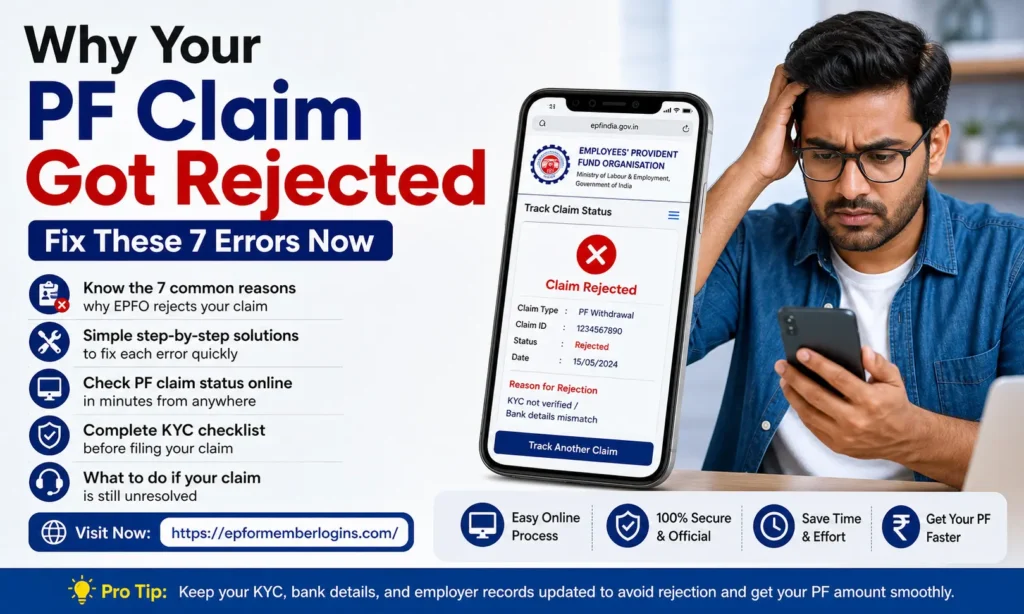
Why Your PF Claim Got Rejected | Fix These 7 Errors Now
You worked hard. You paid into your Provident Fund every month. Now you need that money, and EPFO rejected your PF claim. It feels unfair. But don’t worry. We are here to help you understand exactly why your EPF withdrawal got rejected and, more importantly, how you can fix it fast. Most PF claims get rejected due to minor mistakes that can be easily fixed.
In this article, read this guide carefully to understand what went wrong and how you can correct it.
What Is a PF Claim?
A PF claim is a request you send to the Employees’ Provident Fund Organisation (EPFO) to withdraw or settle your EPF account balance. You can file a PF claim online through the UAN Member Portal or offline through your employer.
EPFO processes thousands of claims every day. When your claim does not match the details in the EPFO system, the system automatically rejects it. This is not a punishment; it is a data mismatch issue. You can fix it and refile.
Important Point:
EPFO sends an SMS and email to your registered mobile number when your claim is rejected. Always review your rejection reason carefully before you refile. Filing again without correcting the error will get you rejected again. It is a data mismatch issue. You can fix it and refile.
7 Common Reasons Your PF Claim Got Rejected
Your PF claim is usually rejected due to small mistakes. Even one wrong detail can stop your payment.
We have shared the most common reasons why PF claims get rejected below.
1. KYC Details Are Not Verified or Missing
This is the first reason PF claims get rejected. Your KYC, which stands for Know Your Customer, includes your Aadhaar card, PAN card, and bank account details. If any of these are not linked to your UAN (Universal Account Number) or are not approved by your employer, EPFO will reject your claim instantly.
Your bank account IFSC code or account number might also be wrong. Even one digit off will cause rejection. EPFO cannot send money to an unverified bank account.
How to Fix It:
2. Name Mismatch Between Aadhaar and EPFO Records
Your name in the EPFO database must exactly match the name on your Aadhaar card. If your employer registered you as ‘Ravi Kumar’ but your Aadhaar says ‘Ravi Kumar Sharma,’ EPFO will reject your claim.
Spelling errors, extra spaces, missing middle names, and wrong date of birth are all rare but common causes of this mismatch. This is one of the most frustrating rejections because you might not even realize it is there.
How to Fix It:
3. Aadhaar Not Linked to UAN
Since September 1, 2021, EPFO has made it mandatory to link your Aadhaar number to your UAN. Without this link, you cannot file an online PF claim at all. This rule applies to all employees covered under the EPF Act.
Even if your KYC is verified, if your Aadhaar is not seeded (connected) to your UAN, EPFO will block your withdrawal request. Many employees are still unaware of this requirement.
How to Fix It:
4. Exit Date Not Updated by Employer
When you leave a job, your employer needs to update your Date of Exit in the EPFO system. If they do not do this, EPFO sees you as still employed. This means you cannot file a full PF settlement claim.
This is very common when employees leave without proper notice, or when HR departments are slow to update records. We have checked this error with small and medium-sized companies.
How to Fix It:
5. Incorrect Bank Account Details
Your PF withdrawal amount is going directly to your bank account. If your bank account number, IFSC code, or account holder name is wrong in the EPFO system, the transfer will fail, and EPFO will reject or reverse your claim.
Banks also return funds if the name does not match their records. A single wrong digit in the IFSC code means a completely different bank branch, and your money goes nowhere.
How to Fix It:
6. Claim Filed Before the Service Period
EPFO has strict rules about when you can withdraw your PF money. If you file a claim without meeting the required service period, EPFO will reject it. For example, you require 5 years of continuous service for a full tax-free PF settlement. For advance claims (partial withdrawal), different rules apply.
Many employees file for PF withdrawal just days after leaving a job, without knowing these eligibility rules. The claim gets rejected automatically.
How to Fix It:
7. Wrong Form Used for the Claim Type
EPFO uses different forms for different types of withdrawals. Using the wrong form is a very common mistake. Many people use Form 19 when they need Form 31, or forget to file Form 10C for the EPS (Employee Pension Scheme) portion.
Filling in the wrong fields, missing signatures, or missing documents also leads to rejection. Even online claims can fail if you select the wrong claim type.
How to Fix It:
How to Check Your PF Claim Status Online
If you have applied for a PF claim, you can easily check its status online from anywhere. You do not need to visit any office. You need your UAN and mobile number.
We will explain the process in simple steps that you can follow easily.
KYC Checklist Before You File Your PF Claim
Before you file your EPF withdrawal or settlement claim, make sure all these points are in order. We recommend you go through this list one by one:
What to Do If Your PF Claim Is Unresolved
If you have corrected all the errors and your PF claim is still rejected, or if the amount you settled has not reached your bank, we recommend you file a formal grievance. EPFO has a dedicated grievance portal where you can raise your complaint online.
You can also visit your nearest EPFO Regional Office or Sub-Regional Office in person. Always keep your UAN, Aadhaar copy, and any rejection messages you received. EPFO officers are required to assist you.
Conclusion
A PF claim rejection can be stressful, but in most cases, it happens due to small and fixable mistakes. If you carefully check your details, such as KYC, bank information, exit date, and Aadhaar linking, you can easily solve the issue.
We explained all the common errors and their simple solutions so you can correct them step by step. Always make sure your information is accurate before submitting your claim through the Employees’ Provident Fund Organisation system.
If you follow the correct process and use the proper forms, your claim will move ahead without delays. Stay patient, check all details carefully, and your PF amount will be processed smoothly.