
EPFO Claim Status – How to Track PF Claim Online
EPFO is a government organization that helps employees save money for their future through the Provident Fund (PF). Both the employee and employer deposit a part of the salary into this fund every month. This money grows over time and can be used after retirement. If you contribute to PF, you receive a unique UAN (Universal Account Number).
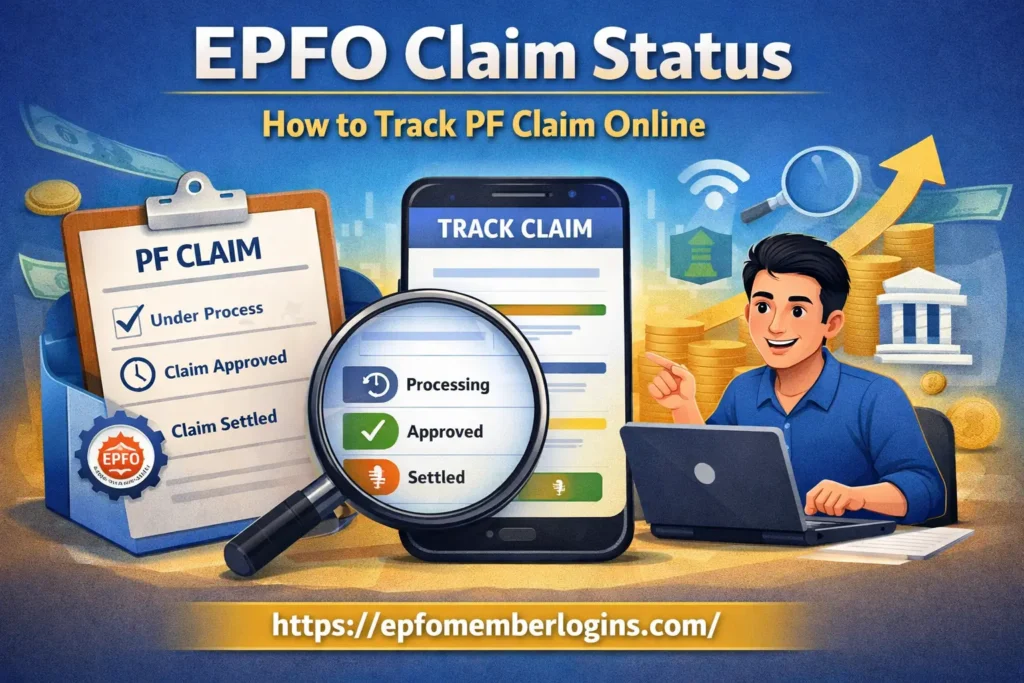
When you leave a job, retire, or need to withdraw some PF money, you can submit a PF claim. After submitting a PF withdrawal request, checking the EPFO claim status is the next important step. After you submit it, members can track whether their PF claim is received, under process, approved, settled, or rejected, without going to any EPFO office.
What Is EPFO Claim Status?
EPFO claim status shows the current stage of your PF withdrawal or transfer request after you submit it. When you apply for a PF claim, it does not get approved immediately. Your request goes through several stages, such as received, under process, approved, and settled. Tracking your claim status is helpful because it helps you know the current status. It also helps you check if there are any delays or problems. It also allows you to see when the money will be sent to your bank account once the claim is approved.
EPFO Claim Status allows you to track your PF claim online anytime, from your phone or computer. This saves time, avoids unnecessary visits to the HR office, and ensures you stay updated about your money.
Purpose of Checking EPFO Claim Status
The purpose of checking your EPFO claim status is to see the progress of your PF withdrawal or transfer request. It shows whether your claim is received, under process, approved, or settled. This helps avoid confusion and keeps you informed about when you will receive your PF amount.
Main Purposes of Checking Claim Status;
Why Claim Status Is Important
Checking your EPFO claim status is important because it helps you stay updated your PF withdrawal or transfer request. After you submit a claim, it takes some time to verify and approved it.
Reasons why Claim Status is important;
Checking your claim status monthly makes sure your PF process goes smoothly. It helps ensure that your money is safely credited to your account on time.
Documents Required Before Checking PF Claim
Before checking your PF claim status, it is important to have some documents and details ready. This makes sure that you can easily log in and track your claim without any issues.
These are some important Documents;
This helps reduce the chances of rejection.
How to Check EPFO Claim Status Online
Follow these steps to check claim status online;
Before checking your EPFO claim status, save your UAN, password, and registered mobile number. If you notice any delays on the portal, you can contact your regional EPFO office for assistance. You can also use the EPFO mobile app to track your claim on your phone.
Types of EPFO Claims You Can Track
EPFO provides specific forms for various types of PF claims, such as withdrawal, transfer, or pension. Using the correct form ensures your claim is processed quickly and accurately.
| Form Number | Claim Type | Purpose |
|---|---|---|
| Form 19 | PF Withdrawal (Final) | Easily transfer your PF funds when changing jobs. |
| Form 10C | Pension / EPS Withdrawal | Withdraw part of the PF for medical, education, or home. |
| Form 31 | Partial Withdrawal / Advance | Withdraw full PF when leaving the job or retiring. |
| Form 13 | PF Transfer | Transfer your PF balance from your previous employer to your current employer. |
EPFO Claim Status Messages and Their Meaning
When you check your PF claim online, you may see different messages. Understanding these terms helps you know how your claim is progressing.
| Status Message | Meaning |
|---|---|
| Claim Form Received | EPFO has received your application and will process it shortly. |
| Under Process | EPFO is verifying your documents and details. |
| Approved | Your claim has been approved and is ready for payment. |
| Settled / Paid | The PF amount has been credited to your bank account. |
| Rejected | Your claim is under review and waiting for processing by EPFO. |
| Refunded | Payment was returned due to wrong bank details or other issues. |
| Payment Initiated | EPFO has started processing the payment to your bank account. |
| Pending KYC / Verification | Claim is waiting for KYC approval or additional verification. |
Common Reasons for PF Claim Rejection
Sometimes PF claims are not approved, and EPFO may reject them. Knowing the common reasons helps you avoid mistakes.
Carefully checking your details and keeping your KYC updated helps avoid most claim rejections and ensures you receive your PF money on time.
Claim Status Not Updating – What to Do?
After submitting your PF claim, the online status may not change for several days or weeks sometimes. But there are simple steps you can take to resolve it.
| Issue / Reason | What to Do |
|---|---|
| KYC or UAN Details Not Updated | Contact HR/Finance to ensure the employer has approved the claim. |
| Incorrect or Incomplete Form | Check submitted claim form (Form 19, 10C, 31, or 13) for missing/incorrect info. |
| Processing Time Delay | Wait 15–30 days; some claims take time due to EPFO workload. |
| Pending Employer Verification | Contact the EPFO helpdesk via toll-free number or email. |
| No Update Online | Visit your regional EPFO office with your UAN and claim details. |
| Still Not Resolved | Visit your regional EPFO office with UAN and claim details. |
Following these steps, most issues with stuck or non-updating claim status can be resolved quickly.
EPFO Helpline for Claim-Related Issues
If you face any problems while your claim is delayed, you can contact EPFO in the following ways:
These bullets make it quick and easy to find the right way to get help with your PF claim.
Tips for Faster EPFO Claim Settlement
Follow these tips because your PF money reaches your account faster and without issues.
| Tip | How It Helps |
|---|---|
| Activate UAN | Makes your account ready for claim processing. |
| Update KYC | Ensures Aadhaar, PAN, and bank details are correct. |
| Submit Correct Form | Prevents errors and delays in claim approval. |
| Check Employer Approval | Let’s you notice delays and fix issues early. |
| Provide Accurate Bank Details | Ensures money goes to the right account. |
| Attach Required Documents | Avoids rejection due to missing proofs. |
| Avoid Multiple Claims | Prevents duplicate claim issues. |
| Track Online Regularly | Lets you notice delays and fix issues early. |
| Contact Helpline if Delayed | Helps resolve stuck claims quickly. |
Conclusion
EPFO claim status provide employees track their PF withdrawal or transfer easily. You can check the status online using your UAN number. This saves time and without going to the EPFO office. It also helps you know if your claim is approved, pending, or rejected. Regularly checking the status helps you find problems early. Make sure your KYC and bank details are accurate before submitting a claim. This will help your PF claim process quickly. Overall, tracking EPFO claim status keeps you informed about your PF money.