How to File ECR in EPFO Employer Login Portal Online 2026
Filing the Electronic Challan cum Return (ECR) on the EPFO Employer Login is a monthly task every registered employer must complete. If you run a business with 20 or more employees, you must deposit PF (Provident Fund) contributions and file the ECR on the Unified Shram Suvidha Portal (USSP) or EPFO Employer Portal. In this article, we will guide you through every step so you can file ECR without confusion or delay.
What Is ECR in EPFO?
ECR stands for Electronic Challan cum Return. It is a digital document that employers submit to the Employees’ Provident Fund Organisation (EPFO) on a monthly basis. The ECR contains the details of:
Before ECR, employers used paper challans. Now, the ECR system is fully online and mandatory under the Employees’ Provident Funds and Miscellaneous Provisions Act, 1952.
Why Filing ECR on Time Is Important
You must file your ECR on or before the 15th of every month for the previous month’s salary. Late filing leads to:
Filing ECR on time protects both your business and your employees’ retirement savings.
Who Needs to File ECR?
You must file ECR if:
Even if you have fewer employees, you may still need to file if you registered voluntarily or fall under a scheduled industry.
Details You Need Before Filing ECR
Before you log in and start, keep these details ready:
How to File ECR on EPFO Employer Login 2026
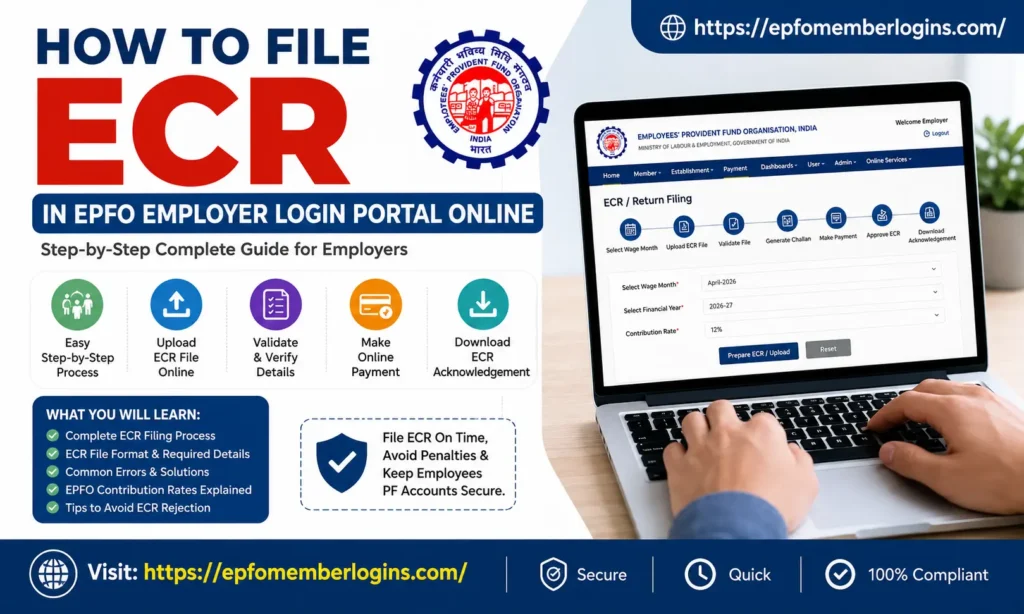
Filing ECR (Electronic Challan cum Return) on the EPFO Employer Portal is an important monthly task for every employer. Through ECR filing, employers submit employee PF contribution details and make online EPF payments.
Below is the complete ECR filing process explained in very simple and easy steps.
Step 1: Open the Official EPFO Employer Portal
First, open your browser and visit the official EPFO Employer Portal: EPFO Employer Portal
This is the official Unified Portal for Employers. Always use the official website and avoid third-party portals.
Step 2: Log in to Your Employer Account
On the homepage, click on “Employer Login.”
Now enter the following details:
After entering the details, click “Sign In.”
If you cannot remember your password, click “Forgot Password” and reset it using your registered mobile number or email address.
Step 3: Open the ECR Filing Section
After logging in, you will reach the Employer Dashboard.
Now go to: Payment → ECR/Return Filing
In some portal versions, you may also find: Returns → ECR Upload
Click on it to begin the filing process.
Step 4: Select the Wage Month
Next, choose the wage month for which you want to file the ECR.
Example:
Also confirm:
After selecting the details, click:
Depending on your portal version.
Step 5: Prepare and Upload the ECR Text File
EPFO accepts the ECR only in a specific .txt file format.
You can create this file using:
What Details Are Included in the ECR File:
Each employee row contains details like:
Once your .txt file is ready:
Step 6: Validate the ECR File
After uploading, the EPFO portal automatically checks the file for errors.
The system verifies:
If Errors Appear:
If the portal shows any errors:
If everything is correct, you will see:
“File Validated Successfully”
Step 7: Review Contribution Summary and Generate Challan
After successful validation, EPFO shows a contribution summary.
The summary usually includes:
Carefully verify all amounts. If everything looks correct, click “Generate Challan”
Step 8: Make the Online EPF Payment
Once the challan is generated, EPFO creates a:
Now make the payment using:
Click “Pay” to continue to your bank’s payment gateway.
After successful payment:
Step 9: Approve the ECR Filing
Some employers must approve the ECR after payment.
Approval methods include: DSC (Digital Signature Certificate)
Connect your DSC token and digitally sign the return.
Aadhaar OTP Verification:
Verify using Aadhaar-linked OTP authentication.
After verification, click “Submit” or “Approve” to finalise the ECR filing.
Step 10: Download ECR Acknowledgement
After successful submission, download:
These documents are useful for:
Common Errors and Solutions
While filing an ECR on the EPFO portal, many employers encounter minor errors that prevent the file from being approved. The good news is that most of these problems are easy to correct.
| Error | Reason | Solution |
|---|---|---|
| Invalid UAN | UAN is incorrect or not activated | Verify the UAN from the EPFO portal before uploading |
| Wage Mismatch | EPF wages are higher than gross wages | Correct the wage details in the ECR file |
| Zero Contribution Error | Employee marked as NCP but wages are entered | Check NCP days carefully and update correctly |
| File Format Error | Wrong text format, delimiter, or header | Download the latest ECR format from the EPFO portal |
| Payment Failed | Bank timeout or insufficient balance | Retry payment using the same TRRN number |
EPFO ECR Contribution Rates
The EPFO contribution is divided between the employee and the employer. Below is the standard contribution structure used by most establishments.
| Contribution Type | Employee Share | Employer Share |
|---|---|---|
| EPF (Provident Fund) | 12% of Basic + DA | 3.67% |
| EPS (Employee Pension Scheme) | NIL | 8.33% |
| EDLI (Insurance) | NIL | 0.50% |
| EPF Admin Charges | NIL | 0.50% |
| Total Contribution | 12% | 13% |
For some establishments, such as:
The EPF contribution rate may be reduced to 10% instead of 12%.
How to Check ECR Filing Status
After you file, you can check the status of your ECR anytime:
You can also track your challan payment status using the TRRN number.
Tips to Avoid ECR Filing Mistakes
Below are some tips to avoid ECR filing mistakes:
Conclusion
Filing ECR on the EPFO Employer Login portal may seem confusing in the beginning, especially for first-time employers or HR professionals. However, once you understand the process and prepare the ECR file correctly, the monthly filing becomes much easier and faster.
The most important part of ECR filing is maintaining accurate employee records. Even a minor error in UAN numbers, wage details, contribution amounts, or NCP days can lead to validation errors, payment failures, or rejection of the ECR file. That is why employers should always double-check payroll data before uploading the file to the EPFO portal.
Timely ECR filing is also important because delayed submissions can result in penalties, interest charges, and compliance issues under EPF regulations. When employers deposit PF contributions on time, employees continue to receive uninterrupted PF, pension, and insurance benefits. This not only protects employees’ financial future but also improves trust between the employer and workforce.