Forgot UAN Password? What Most People Don’t Know
For many employees in India, your UAN (Universal Account Number) is more than just a number; it is your key to your Provident Fund (PF) savings. Through your UAN account, you can check your PF balance, download passbooks, update KYC details, and even withdraw money when you need it. But all of this depends on one simple thing: your UAN password.
Now think about this. You need money urgently, or you want to check your PF balance. But when you try to log in, you realize you don’t remember your password. This is where many people feel stuck. You may try different passwords, wait for the OTP, or even worry that your account is locked.
In this article, we will explain what most people don’t know about resetting a UAN password, common mistakes, and how you can fix the problem quickly.
What is UAN, and why does it matter
Your Universal Account Number (UAN) is a 12-digit number given to every employee covered under the Employees’ Provident Fund (EPF) scheme. The Government of India and EPFO (Employees’ Provident Fund Organisation) use this number to link all your PF accounts in one place, even when you change jobs.
When you log into the UAN Member Portal at unifiedportal-mem.epfindia.gov.in, you use your UAN and a password. With this login, you can check your EPF balance, download your passbook, update your KYC, raise PF withdrawal claims, and much more.
So, if you forget your UAN password, you lose access to all these important services. We know that it can feel very stressful. But don’t worry, we will show you exactly how to get back in.
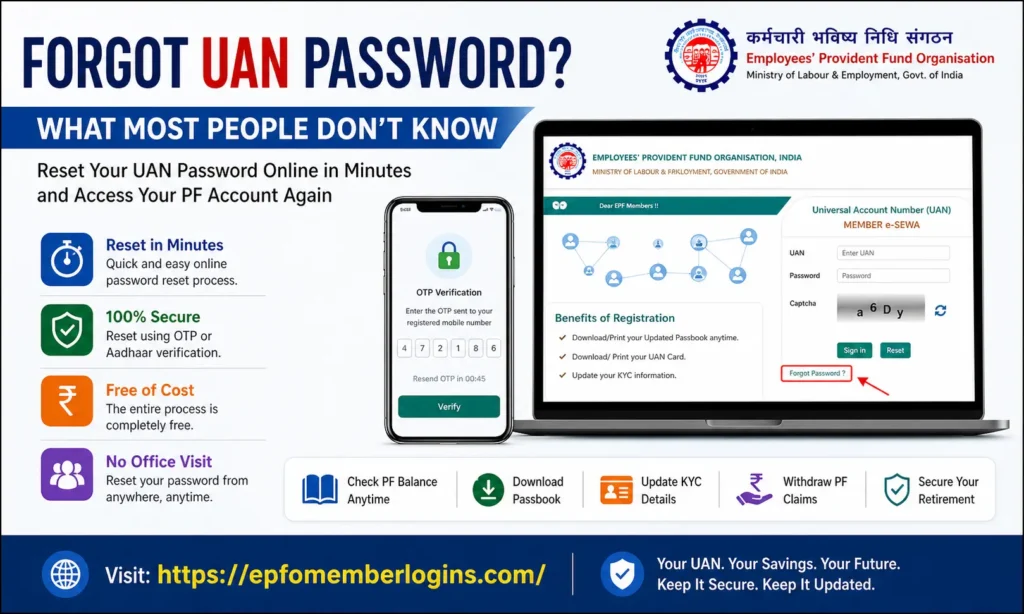
UAN Password Reset: Key Things You Should Know
Many employees feel confused or worried when they forget their UAN login password. But here are some simple facts most people don’t know:
When you understand these points, the whole process becomes much easier and without any trouble.
UAN Reset Requirements Before You Start
Before we show you the reset steps, first ensure you have all these things ready.
| What You Need | Why You Need It | Status |
|---|---|---|
| Your UAN (12-digit number) | To identify your account on the EPFO Member e-Sewa Portal | REQUIRED |
| Registered mobile number | To receive the OTP (One-Time Password) | REQUIRED |
| Aadhaar Card | For identity verification if needed | RECOMMENDED |
| Date of Birth | Used for identity verification on the portal | REQUIRED |
| An active internet connection | To access the UAN Member Portal online | For identity verification, if needed |
You can find your UAN on your salary slip, in your EPF passbook, or from your employer’s HR department. Many employees also receive their UAN via SMS on their registered mobile number when they first join a job.
Method 1: Reset UAN Password Online
This is the easiest and fastest way to reset your UAN password. We recommend this method if your mobile number is registered and active with your UAN account.
Below is the simple online password reset process you need to follow:
You are successfully logged in and can access your PF account again.
Method 2: Reset UAN Password via Aadhaar OTP
If your mobile number is linked to your Aadhaar card, you can use the Aadhaar OTP method. This is useful if your old mobile number is no longer active, but your Aadhaar-linked number still works.
How Aadhaar OTP Reset Works:
Method 3:UAN Reset Without Registered Mobile Number
If your mobile number is not linked to your UAN, you will not receive any OTP. In this case, the online password reset will not work. But don’t worry; you still have a few solutions.
Option A: Contact Your Employer’s HR Department
Option B: Visit Your Nearest EPFO Office
If your employer cannot help, you can visit your nearest EPFO Regional Office or District Office. Carry the following documents:
The EPFO staff will verify your identity and update your mobile number. After that, you can reset your password online.
Option C: Use EPFO Helpdesk
UAN Password Rules
When you create a new UAN password, the EPFO portal requires you to follow certain password rules. Many people fail to set a new password because they are not aware of these rules.
| Rule | Requirement |
|---|---|
| Minimum Length | 8 characters |
| Maximum Length | 25 characters |
| Uppercase Letter | At least 1 uppercase letter (A–Z) |
| Lowercase Letter | At least 1 lowercase letter (a–z) |
| Number | At least 1 number (0–9) |
| Special Character | At least 1 special character (e.g., @, #, $, &) |
| Avoid | Do not use your name, UAN, or date of birth in the password |
Good Password Example:
Epfo@2026#Secure: It has uppercase, lowercase, numbers, and special characters. It is strong and easy to remember.
Bad Password Example:
Password123:This is too simple and easy to guess. Never use your name, mobile number, or date of birth as your password.
Common UAN Reset Errors and Solutions
We know the process does not always go smoothly. Here are the most common errors you might face and exactly how to fix them:
| Error | Reason | Solution |
|---|---|---|
| “UAN Not Found” / “Invalid UAN” | Wrong UAN entered or typing mistake | Enter the exact DOB as per records. If wrong, ask HR to correct it in the Employees’ Provident Fund Organisation system. |
| “Date of Birth Does Not Match” | DOB does not match EPFO records | Enter the exact DOB as per the records. If wrong, ask HR to correct it in the Employees’ Provident Fund Organisation system. |
| “OTP Not Received” | Network issue or blocked messages | Wait 2 minutes, resend OTP, check network, and disable DND if active. |
| “OTP Expired” | OTP time limit finished (3–5 minutes) | Click resend OTP and enter the new one quickly. |
| “Portal Not Working” | High traffic or browser issue | Try again later, clear browser cache, or use Chrome/Firefox. |
UAN Password Reset Using the UMANG App
The UMANG App (Unified Mobile Application for New-age Governance) is an official Government of India app. It gives you access to more government services, including EPFO services.
Through the UMANG app, you can view your EPF passbook, check your PF balance, and manage some account settings. However, for a full password reset, we recommend using the official UAN Member Portal website, as it has a dedicated and more complete password recovery system.
You can download the UMANG App from the Google Play Store or Apple App Store. Always download it from official sources only.
Next, After You Reset Your UAN Password
Once you have successfully reset your UAN password and logged back in, we suggest you do the following right away:
Ensure your Aadhaar, PAN, and bank account details are linked and verified.
Go to the passbook section and ensure all your contributions are right.
If your current mobile number is outdated, update it so future resets are easy.
Make sure your family member is listed as your EPF nominee.
Use a password manager or keep it written somewhere safe (not in public).
If it has not been activated yet, an active UAN gives you full access to all EPFO services.
UAN Account Security Tips
Your UAN account holds your hard-earned provident fund savings. It is important to keep it safe. Here are some important security tips we want every EPFO member to know:
Conclusion
Forgetting your UAN password is a common issue for many employees, and it is completely normal. The good thing is that the solution is easy, and you don’t need to panic or rely on anyone else. In most cases, you can easily reset your password online in just a few minutes using your registered mobile number and basic details.
You do not need to visit any office or stand in long queues. The online system provided by the Employees’ Provident Fund Organisation is designed to make this process quick, secure, and user-friendly. If your mobile number and Aadhaar are updated, the reset becomes even faster and smoother.
Always remember, your UAN account is directly linked to your hard-earned EPF savings, withdrawal claims, and future retirement security. That is why it is important to keep your login details safe, your mobile number updated, and your password strong and secure.