EPFO Login Not Working? Real Reason Will Shock You!
If your Employees’ Provident Fund Organisation (EPFO) login is not working, you are not alone. Many people face this problem every day. You open the portal, enter your details, and try to log in, but instead of success, you see an error message continuously. This can be frustrating, especially when you need to check your PF balance, download your passbook, or submit a claim quickly.
Most of the time, the issue is not serious. It occurs due to small mistakes such as entering the wrong password, not receiving the OTP, or using an old browser.
Don’t worry. In this guide, we will explain the real reasons in very simple words. We will also show you how you can fix each problem step by step.
What Is the EPFO Member Portal?
The EPFO Member Portal (available at unifiedmember.epfindia.gov.in) is the official online platform run by the Employees’ Provident Fund Organisation (EPFO) under the Ministry of Labour and Employment, Government of India.
Through this portal, you can check your EPF balance, download your EPF passbook, track your PF claim status, update your KYC details, transfer your PF account, and manage your Universal Account Number (UAN).
When the EPFO login keeps failing, you cannot do any of these things. Let us find out why this happens, and what you can do about it right now.
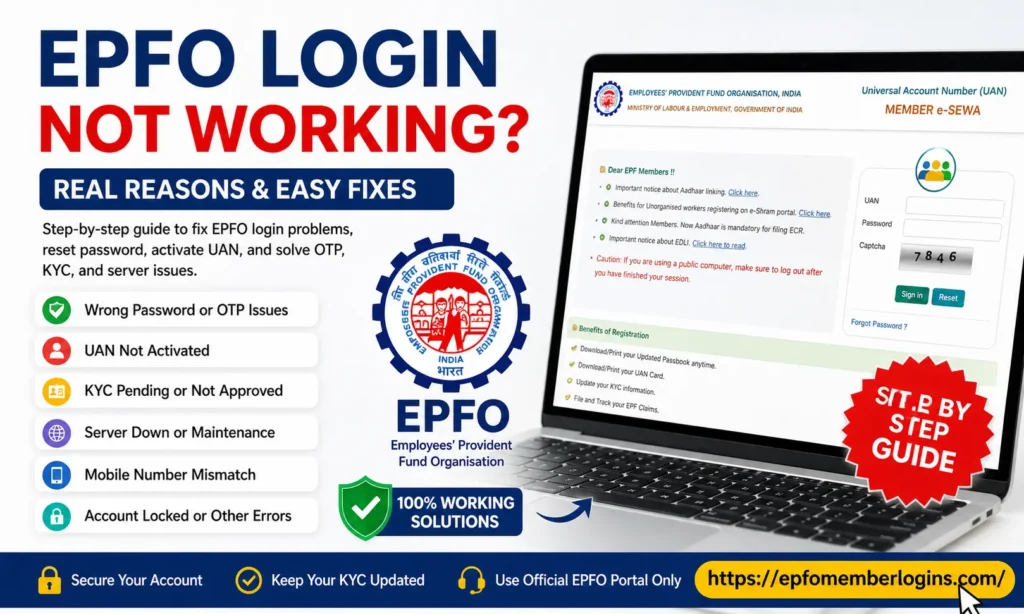
Top Reasons Why Your EPFO Login Fails
We have listed the most common and real reasons below. Read each one carefully, because your answer is almost certainly here.
Reason 1: Wrong Password or Forgotten Password
This is the number one reason why EPFO login fails. If you have not logged in for a long time, you may have forgotten your password. Many members also type the wrong password without realising it. The EPFO portal password is case-sensitive, which means “Pass@123” and “pass@123” are fully different. Always check your caps lock before trying again.
Reason 2: Wrong OTP or OTP Not Received
EPFO uses an OTP (One-Time Password) sent to your Aadhaar-linked mobile number for login verification. If your registered mobile number has changed, if your SIM is inactive, or if there is a network problem, the OTP will not reach you. Many members also enter the OTP after it expires. Remember, an EPFO OTP is valid for only 3 minutes.
Reason 3: UAN Is Not Activated
Your Universal Account Number (UAN) must be activated before you can log in. If your employer has generated your UAN but you have never activated it on the EPFO portal, your login will always fail. UAN activation is a one-time process that you do yourself using your UAN, date of birth, and registered mobile number.
Reason 4: Aadhaar Not Linked or KYC Not Verified
EPFO requires your Aadhaar number to be linked and employer-approved in your UAN profile. If your KYC (Know Your Customer) details, including Aadhaar, PAN, and bank account, are not verified, you may not be able to access all services. In some cases, unverified KYC can also block login access entirely.
Reason 5: EPFO Portal Server Is Down
The EPFO unified member portal goes through planned maintenance and also faces unexpected downtime. If the server is down, no one can log in, not just you. You can check the EPFO official website (epfindia.gov.in) for maintenance notices, or try again after a few hours. Portal downtime is most common during late nights and on government holidays.
Reason 6: Account Locked After Multiple Failed Attempts
If you try to log in with the wrong password many times in a row, the EPFO portal will automatically lock your account for security reasons. This is a safety feature to protect your EPF money. A locked account cannot be unlocked by simply waiting; you can reset your password or contact EPFO support.
Reason 7: Browser or Device Compatibility Issues
The EPFO member portal works best on Google Chrome or Mozilla Firefox. If you use an outdated browser, Internet Explorer, or an old mobile browser, the portal may not load properly, or the login button may not work. Clearing your browser’s cache and cookies also solves many login problems that seem very confusing at first.
Reason 8: Mobile Number Not Registered with UAN
Your UAN must have a valid, active registered mobile number. This mobile number is used for OTP delivery, password reset, and account security. If your number has changed and you have not updated it in your UAN profile, the entire login process breaks down. You will need your employer or the EPFO helpdesk to help you update your mobile number.
Reason 9: Incorrect UAN Number Entered
Some members type their UAN incorrectly, especially if they are reading it from an old salary slip or a photo of their PF card. Your UAN is a 12-digit number. If even one digit is wrong, the portal will reject your login. You can find your correct UAN on your salary slip, EPF passbook, or by asking your employer’s HR department.
Reason 10: EPFO Portal Maintenance Window
EPFO regularly takes the portal offline for system upgrades and database maintenance. These windows usually happen between 11:30 PM and 6:00 AM IST. If you try to log in during this time, you will see an error message or a blank page. This is not a problem with your account; try again in the morning.
EPFO Login Error Messages and What They Mean
When your EPFO login fails, the portal shows you an error message. Here is what each message actually means and the fastest way to fix it.
| Error Message | What It Means | Quick Fix |
|---|---|---|
| Invalid Credentials | You entered the wrong UAN or password | Reset your password using the “Forgot Password” option |
| UAN Not Activated | Your UAN is created but not activated yet | Activate your UAN on EPFO Member e-Sewa Portal |
| Invalid OTP | Your OTP expired, or you entered it wrong | Click “Resend OTP” and enter it within 3 minutes |
| Account Locked | Too many wrong login attempts | Reset your password using mobile OTP |
| KYC Pending | Your Aadhaar or PAN is not linked or not approved | Your UAN is created but not yet activated |
| Service Unavailable | The system is down due to maintenance or heavy traffic | Wait and try again after some time |
| Mobile Number Mismatch | OTP is sent to a different or old mobile number | Complete KYC on the EPFO portal or contact your employer |
How to Fix EPFO Login Problem Step by Step
You can solve this problem on your own, starting now. Just follow these steps one by one. Most users solve their issues in a few minutes.
Step 1: Reset Your EPFO Password
Go to the official login page of the Employees’ Provident Fund Organisation through
EPFO Member e-Sewa Portal
Then follow these simple steps:
Password Tip:
Your password must have:
Example: Epfo@2025
Step 2: Activate Your UAN (If Not Done Yet)
If your UAN is not active, the login will not work.
Step 3: Fix the OTP Not Received Issue
If you are not getting OTP, try these easy fixes:
EPFO uses Aadhaar verification through the Unique Identification Authority of India, so your mobile must be linked.
Step 4: Clear Browser Cache and Try Again
Sometimes the problem is not your account, it’s your browser.
Follow this:
How KYC Affects Your EPFO Login and Services
KYC stands for Know Your Customer. EPFO requires you to link and verify your identity documents through the UAN portal. Your KYC must include your Aadhaar number, PAN card, and bank account details.
If your KYC is incomplete or not employer-approved, you may face login errors, and you will definitely not be able to submit PF withdrawal claims or transfer requests online.
Important Point:
Without an Aadhaar-linked and verified KYC, you cannot access the full EPFO online services. Your employer must approve your KYC for it to become active. If your employer has not done this, contact your HR department immediately.
How to Check and Update Your KYC
EPFO Login Security
Your EPF account holds your hard-earned retirement savings. We strongly advise you to follow these security steps to keep your EPFO account safe.
After EPFO Login: Services You Can Use
Once your login works correctly, here is everything you can do on the EPFO member portal — all from your home, without visiting any office.
Conclusion
EPFO login problems can feel confusing, but in most cases, the issue is minor and easy to fix. When your login fails, it usually happens because of a wrong password, OTP delay, inactive UAN, or simple browser issues.
The good news is, you can solve all these problems by yourself. When you follow the right steps, such as resetting your password, activating your UAN, checking your mobile number, and clearing your browser cache, your login starts working again.
You always keep your details up-to-date. Ensure your mobile number is active and linked to Aadhaar, and your KYC is complete on the Employees’ Provident Fund Organisation portal. This helps you avoid login errors in the future.
Also, try to stay calm and patient. Sometimes the EPFO system is slow due to heavy traffic or maintenance. In such cases, waiting a few minutes and trying again often solves the problem.