Tax Is Cutting Your PF, Form 121 Stops It Now | 2026
If you want to save tax on your PF (Provident Fund) money, you must understand the new Form 121 (2026). Many people still use outdated forms, such as Form 15G and Form 15H; however, the system is now changing. The Employees’ Provident Fund Organisation (EPFO) portal is introducing new methods to make tax saving easier and clearer for everyone.
Sometimes, people lose money because they are unaware of the correct form or process. When you withdraw your PF, tax may be deducted if you do not submit the right form on time. That’s why you need to understand Form 121. In this article, we will help you understand everything step by step.
What is EPFO Form 121?
EPFO Form 121 (2026) is a new and updated form introduced by the Employees’ Provident Fund Organisation to help you avoid unnecessary tax deduction (TDS) on your PF (Provident Fund) withdrawal.
Before, people used Form 15G and Form 15H to show that they did not earn enough to pay tax. This helped them avoid tax when taking out PF money. Now, Form 121 is being introduced as a simpler, clearer, and digital-friendly version of these old forms. It combines the purpose of both forms, making the process easier for everyone.
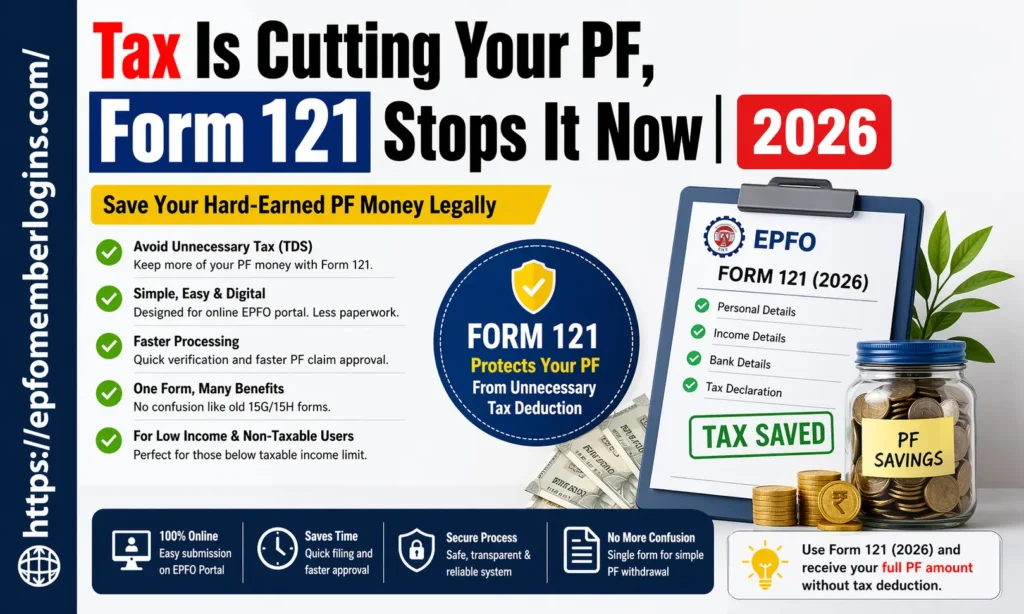
Why Form 121 is Introduced
The Employees’ Provident Fund Organisation introduced Form 121 (2026) to address issues in the old system and make the process faster and more convenient for users. This form saves your time and reduces mistakes.
| Old Problem with 15G/15H Forms | How Form 121 Solves It |
|---|---|
| Confusion between Form 15G and 15H | One single form removes confusion |
| People selected wrong form | Simple structure reduces mistakes |
| Difficult for beginners | Easy language and user-friendly format |
| Filling mistakes were common | Clear fields reduce errors |
| Delay in PF processing | Faster verification and approval |
| Manual submission system | Supports online/digital submission |
| No proper tracking system | Better transparency and tracking |
| Too much paperwork | Less paperwork, more digital process |
It helps you protect your PF money from unnecessary tax deductions in a simple and new way.
Who Should Fill Form 121
Form 121 is not for everyone. It is only available for specific people who meet certain conditions. If you don’t fall into those conditions, you don’t need to fill out this form at all.
You should fill Form 121 if:
Form 121 vs Form 15G / 15H ( Difference)
Form 121 (2026) is a new system designed to simplify tax declaration on PF withdrawals. Earlier, people used Form 15G and Form 15H, but now Form 121 is becoming the updated option.
| Feature | Form 121 (2026) | Form 15G | Form 15H |
|---|---|---|---|
| Introduced by | EPFO (updated system) | Income Tax Department | Income Tax Department |
| Who can use | PF members with low income | Fully designed for the online EPFO system | Senior citizens (60+ years) |
| Age limit | No separate age-based form | Below 60 years | 60 years and above |
| Ease of use | Very simple and beginner-friendly | Moderate complexity | Moderate complexity |
| Digital support | Rare mistakes due to the simple format | Limited online integration | Limited online integration |
| Main use case | PF withdrawal tax declaration | General tax exemption declaration | Senior citizen tax exemption |
| Confusion level | Low (single unified form) | High (multiple rules) | Medium |
| Processing speed | Faster processing | Slower (manual checks) | Slower (manual checks) |
| Common issues | Errors in filling in details | Errors in filling details | Eligibility confusion |
How to Fill Form 121 (Step-by-Step)
Form 121 (2026) is a simple declaration form used at the time of PF withdrawal. It helps you to inform EPFO about your income details so that no extra tax (TDS) is deducted from your PF amount. If you follow the steps carefully, you can complete it without any confusion and receive your PF money smoothly.
Step-by-Step Process
Key Benefits of Form 121
Form 121 helps you save time, avoid tax mistakes, and receive your PF money smoothly without stress. It is especially useful for people with low or non-taxable income.
Below are some benefits of Form 121;
Common Issues and Solutions
Below are some issues with their direct solutions.
| Common Issue | Simple Solution |
|---|---|
| Wrong personal details | Match your details with Aadhaar and EPFO records before submitting |
| PAN/Aadhaar not linked | Ensure correct details and track status on the EPFO portal |
| Incorrect income details | Link PAN and Aadhaar with UAN through the EPFO e-KYC option |
| Bank detail errors | Double-check the account number and the IFSC code carefully |
| OTP not received | Check the mobile network and ensure the correct registered number |
| Website/portal issue | Try again during non-peak hours or use another browser |
| Incomplete submission | Fill all required fields and upload all documents properly |
| Form selection confusion | Select only Form 121 and avoid old forms like 15G/15H |
| Processing delay | Ensure correct details and track status on EPFO portal |
Important Tips for Form 121
Form 121 is easy to fill out, but following a few important tips can help you avoid common mistakes.
Key Tips of Form 121;
Conclusion
Form 121 is a significant and modern update introduced by the EPFO designed to make PF withdrawal easier, faster, and more user-friendly. One of the biggest benefits of Form 121 is that it is very simple to use. Even if you don’t understand tax rules, you can still fill it out step by step without difficulty. It helps reduce confusion, lowers the chances of mistakes, and makes the process clearer and more organized.
It also saves time, making the whole process much faster and smoother compared to old manual methods. If you follow the process correctly, you can complete everything without stress and receive your PF amount safely and quickly.